

In this blog you are going to Learn how to configure a firewall on a VPS server to block threats and allow safe traffic. Follow easy steps for Linux and Windows firewall setup with Hosting Home. A VPS gives your website with dedicated power and freedom; however, correct security needs to be set up in order to keep it safe from online attacks. One of the most important part of security is the firewall. A firewall acts like a security guard for the server, it allows good traffic and avoid harmful traffic.
If you already tested a VPS through a VPS server trial or has recently made a decision to buy VPS hosting in India, the next smart step is to secure it properly. This Blog explains, with easy and practical steps, how to configure the firewall in Linux and Windows-based VPS severs. This Blog explains, with easy and practical steps, how to configure the firewall in Linux and Windows-based VPS severs.
1. Why Every VPS Needs a Firewall
By default, virtual servers are not fully protected. Even if you have chosen the best VPS hosting India, a firewall will add that extra safety layer. A firewall helps you:
- Block hackers and bots
- Protect login panels
- Stop malware uploads
- Reduce fake traffic
- Keep your website online longer
Many new users try to search online for any free VPS server. However, all those servers usually do not have any actual protection. A real VPS from a Trusted VPS server provider always needs proper firewall configuration.
2. How Firewalls Improve Website Trust
Security has an effect on user trust: If your site is safe, the users stay longer and take action. That indirectly improves for conversion and SEO performance. When hosting is secure, like VPS server hosting from the trusted VPS hosting companies, and protected with a firewall-, your website becomes more trusted for Google and users.
3. Firewall Setup on Linux VPS (Easy Method)
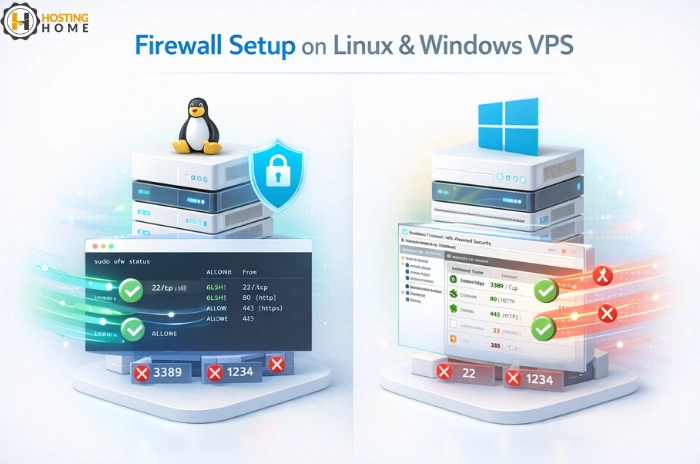
Most Linux VPS systems will support firewalls like UFW or CSF. Here is a simple flow using UFW:
- Log into your server via SSH
- Run the update command to refresh software
- Install UFW
- Enable it
- Allow default ports like:
- 22 for SSH
- 80 for websites
- 443 for SSL
- Deny all other traffic
- Restart UFW
This setup will configure your server to behave like a secure Linux Web Server environment to protect your Django, PHP, or MySQL applications.
If you are hosting websites on Linux VPS servers, UFW is one of the simplest firewall setups for new users.
4. Setup Firewall on Windows VPS Server
Since Windows VPS uses an integrated firewall, there is no need for the installation of external software.
Steps:
- Open Windows Firewall with Advanced Security
- Click Inbound Rules → New Rule
- Select Port
- Allow TCP ports:
- 3389 for RDP
- 80 for HTTP
- 443 for HTTPS
- Block all other unknown ports
- Name the rule
- Click Finish
This Setup protects your Windows server environment in case you run web applications or administration operations through RDP.
Many users search for free VPS server or windows hosting, but actual production systems need a licensed and properly configured firewall for safety.
5. Allow Only Trusted IPs for Admin Access
On Linux:
- Allow incoming SSH access only from known IPs – UFW rules
Windows:
- Only allow RDP access via selected IPs using Windows firewall rules.
This step is performed by companies that look a completely managed VPS server environment wherein security rules are tailored to business use.
6. Enable Logging to Track Firewall Activity
After setting up the firewall, turn on logging to check activity.
This helps you see:
- Who tried to connect
- Which ports were targeted?
- Which rules blocked traffic?
Logs allow companies to track security patterns and protect their business.
7. Test Your Firewall Rules
After configuration, always test:
- Can you log in via SSH or RDP?
- website loading normally?
- Is any important service blocked?
Testing will help you avoid lockouts and make sure your server runs like a secure Windows VPS server hosting environment.
8. Why Companies Choose Premium VPS Over Free Servers
Many Businesses move to VPS or dedicated servers, not using free server offers. The reasons are that free servers lack
- Security
- Uptime
- dedicated hardware
- Customer support
This is why businesses look for the best VPS server provider and not free ones, especially in India.
Hosting Home: The Best Choice for Secure VPS Hosting in India
For businesses and developers looking secure hosting with strong security and support, Hosting Home is one of the most trusted VPS hosting providers in India.
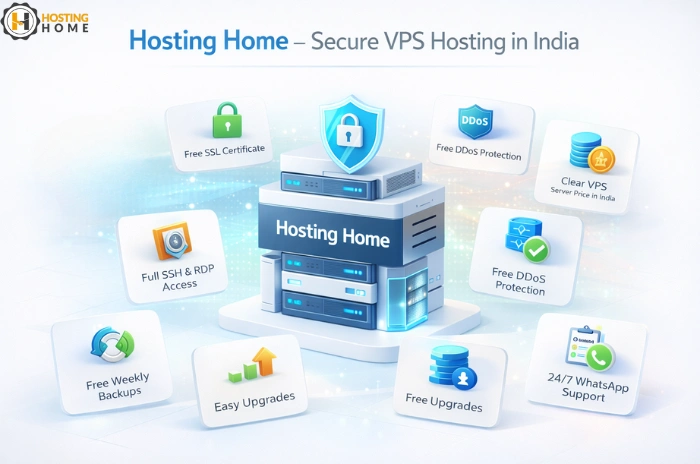
What Hosting Home Offers
- Fast SSD-based servers
- Free SSL certificate
- Free DDoS Protection
- Free Weekly Backups
- Full administrator access via RDP or SSH
- Clear VPS server price in India
- Local server availability under VPS hosting India plans
- 24/7 Dedicated WhatsApp support
- Quick server setup support
- No hidden charges
- Easy upgrades for future growth
- Free RDP access with Windows VPS and Windows Dedicated Server plans
- Trial access and demos available to test before buying
If you are comparing the cheap VPS server hosting or looking premium stability under VPS server hosting, Hosting Home provides plans that are affordable, secure and built for real business needs.